Appearance
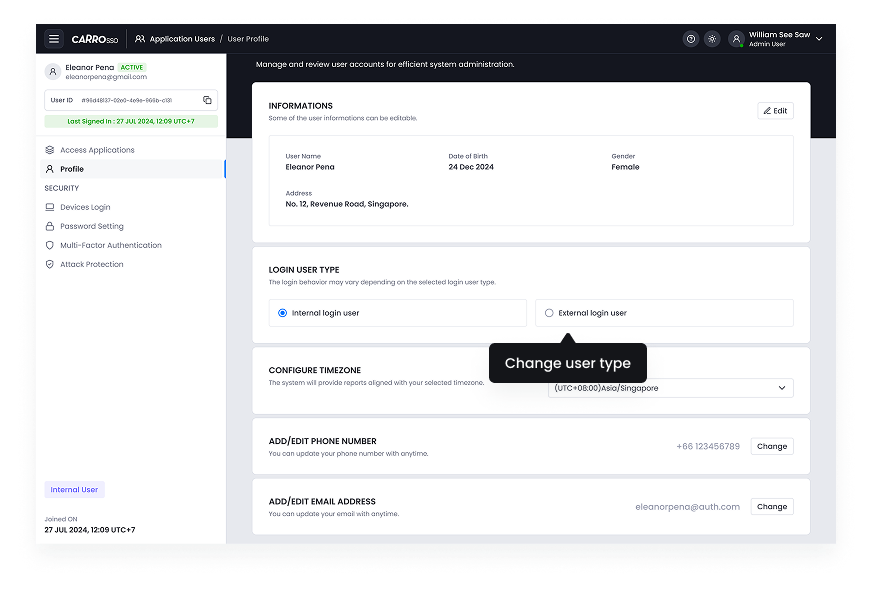
Change user types
Admins may need to change a user’s classification between internal and external based on role changes.
- Navigate to User Profile > Security Settings.
- Change the classification from internal to external or vice versa.
- Save and apply the changes.
This feature ensures that users have the appropriate access levels.
- Change user type internal to external.
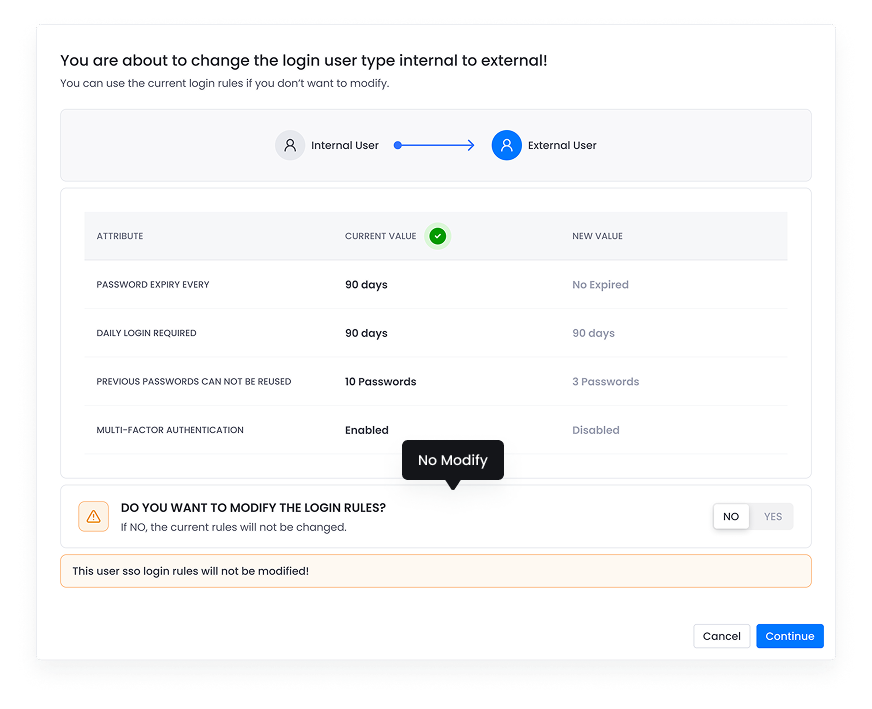
- This is the view of modify login rules.
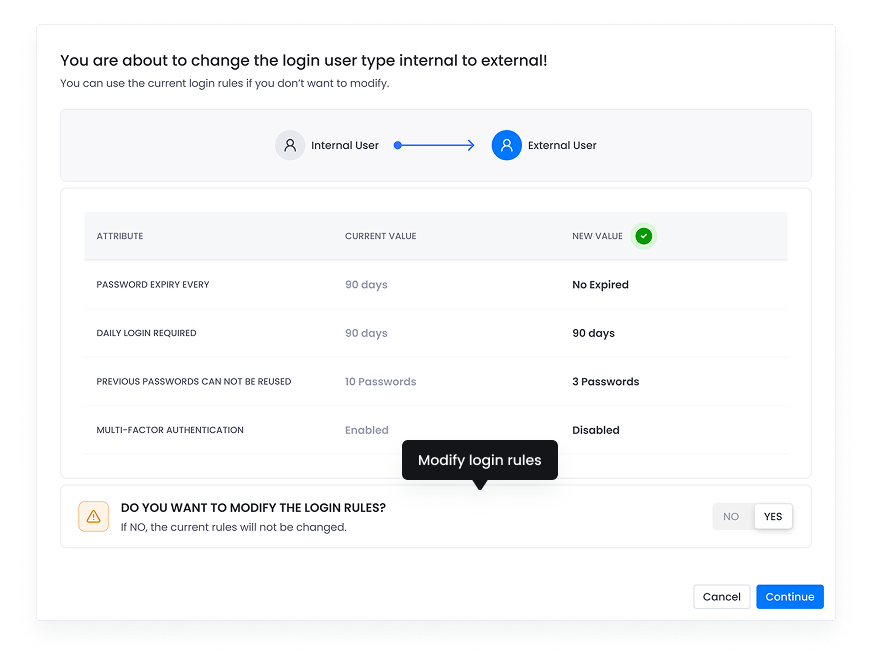
- Change user type internal to external.
- This is the view of not modify login rules.