Appearance
Password settings
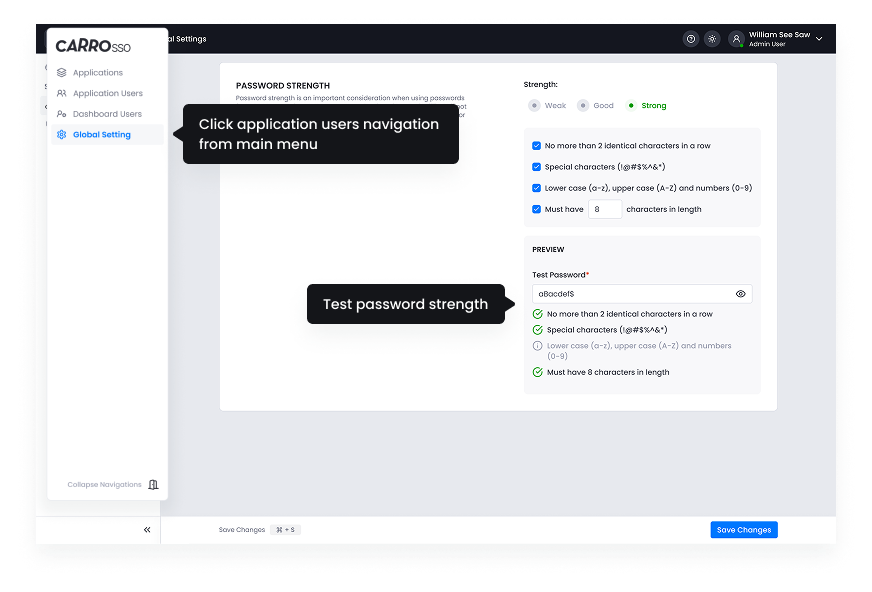
A well-defined password policy is essential for ensuring that user passwords meet security standards. Administrators can set password complexity rules, such as minimum length, inclusion of special characters, uppercase and lowercase letters, and numbers. Additionally, policies can enforce periodic password changes to enhance security.
- Minimum Password Length: Define the shortest acceptable password length.
- Password Complexity: Require a mix of uppercase, lowercase, numbers, and symbols.
- Password Reuse Prevention: Restrict users from using previously used passwords.
- Password Expiry: Set a time limit after which users must change their passwords.
- Account Lockout: Lock the account after a certain number of failed login attempts.