

Appearance
Application Home
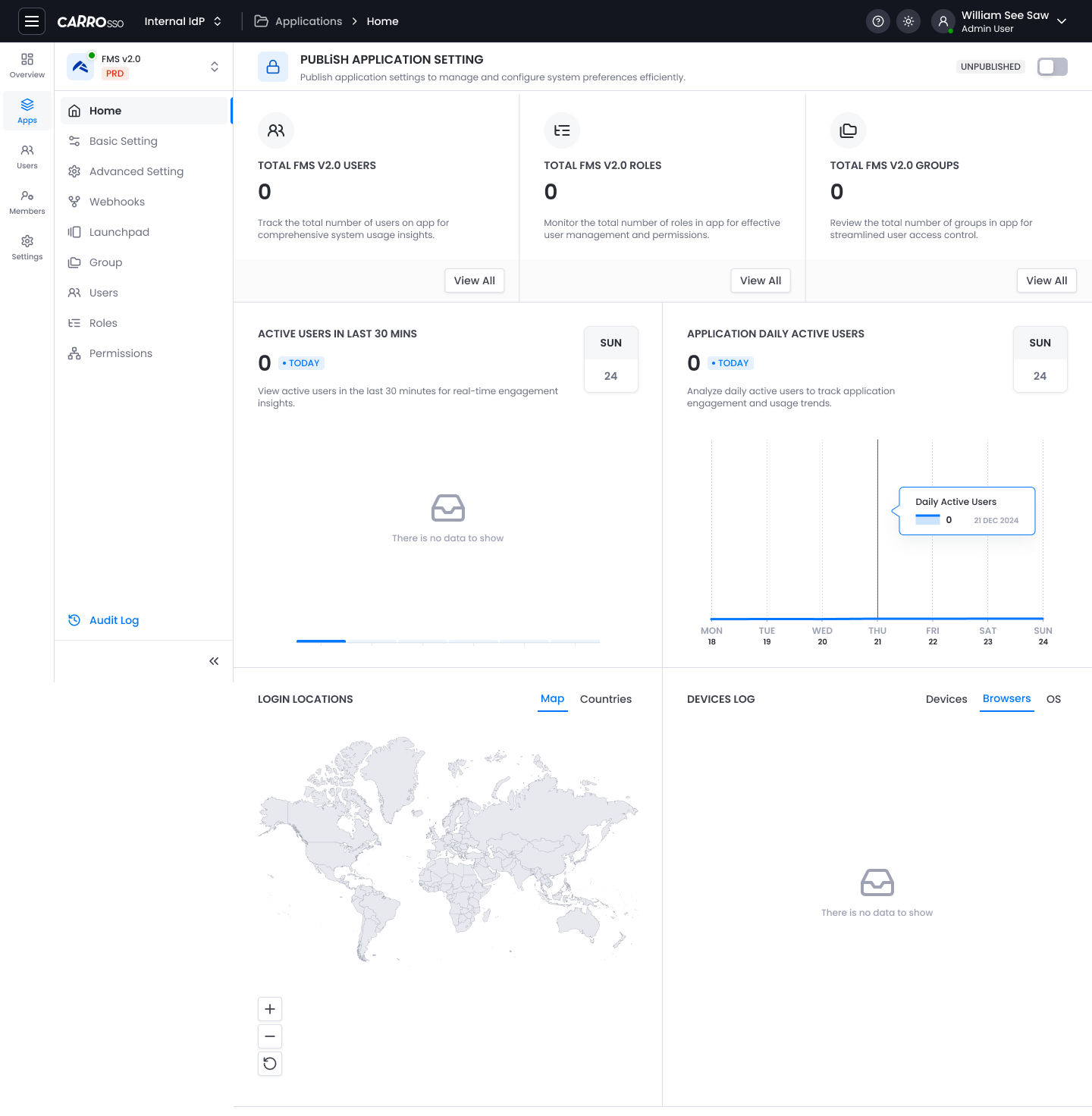
The Home screen provides an overview of user activity, system configuration, and access control for the selected app. This dashboard provides critical metrics and activity data for the selected application. Use this page to monitor and review system-wide settings.
Sections
1. Publish Application Setting
- Toggle Switch to enable or disable publishing.
- Used to manage and configure application preferences efficiently.
2. Summary Cards
| Metric | Description |
|---|---|
| Total Users | Number of users currently active in the app. |
| Total Roles | Number of distinct roles defined. |
| Total Groups | Number of groups created for access control. |
- Each card includes a
View Allbutton to see detailed records.
3. Active Users in Last 30 Minutes
- Shows a count of active users within the last half hour.
- Provides insight into real-time engagement.
- Displays the current date.
4. Application Daily Active Users
- Graph showing daily user activity over the past 7 days.
- Hover on the graph to view detailed data points.
- Useful for analyzing usage trends.
5. Login Locations
- Displays a world map with geolocation data.
- Switch view between:
Map(default view)Countries(tabular view)
6. Devices Log
Tabs available:
- Devices
- Browsers
- OS