

Appearance
Webhooks management
Webhooks provide real-time notifications and automate responses to authentication-related events. When a user logs in, resets a password, or updates profile information, webhooks can trigger external processes like sending email notifications, updating databases, or integrating with third-party applications.
- Navigate to Webhooks Management in the dashboard.
- Click Add Webhook.
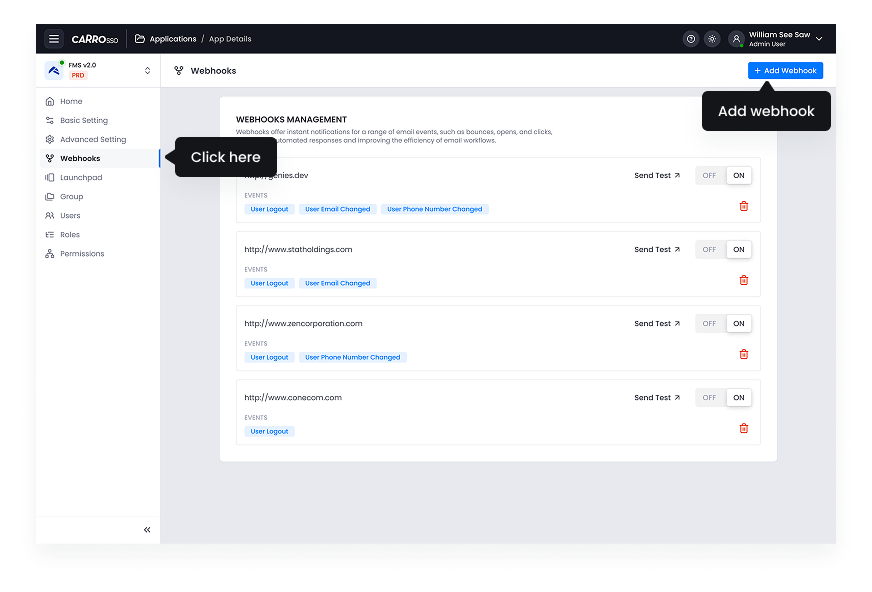
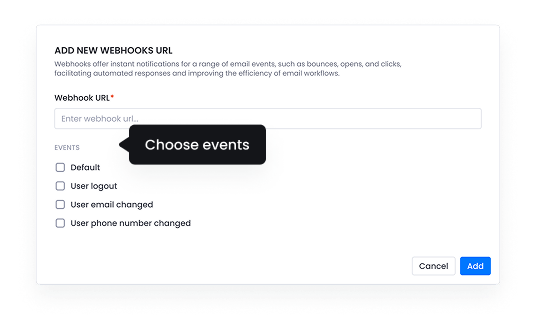
- Define the event triggers (e.g., user sign-in, failed login attempts, password changes).
- Enter the webhook URL where event data should be sent.
Webhooks enhance automation, improving security monitoring and user experience by enabling instant system updates based on authentication events.