

Appearance
Add Group
Creating groups allows administrators to categorize users with shared permissions. Groups enable more efficient role assignment and access control.
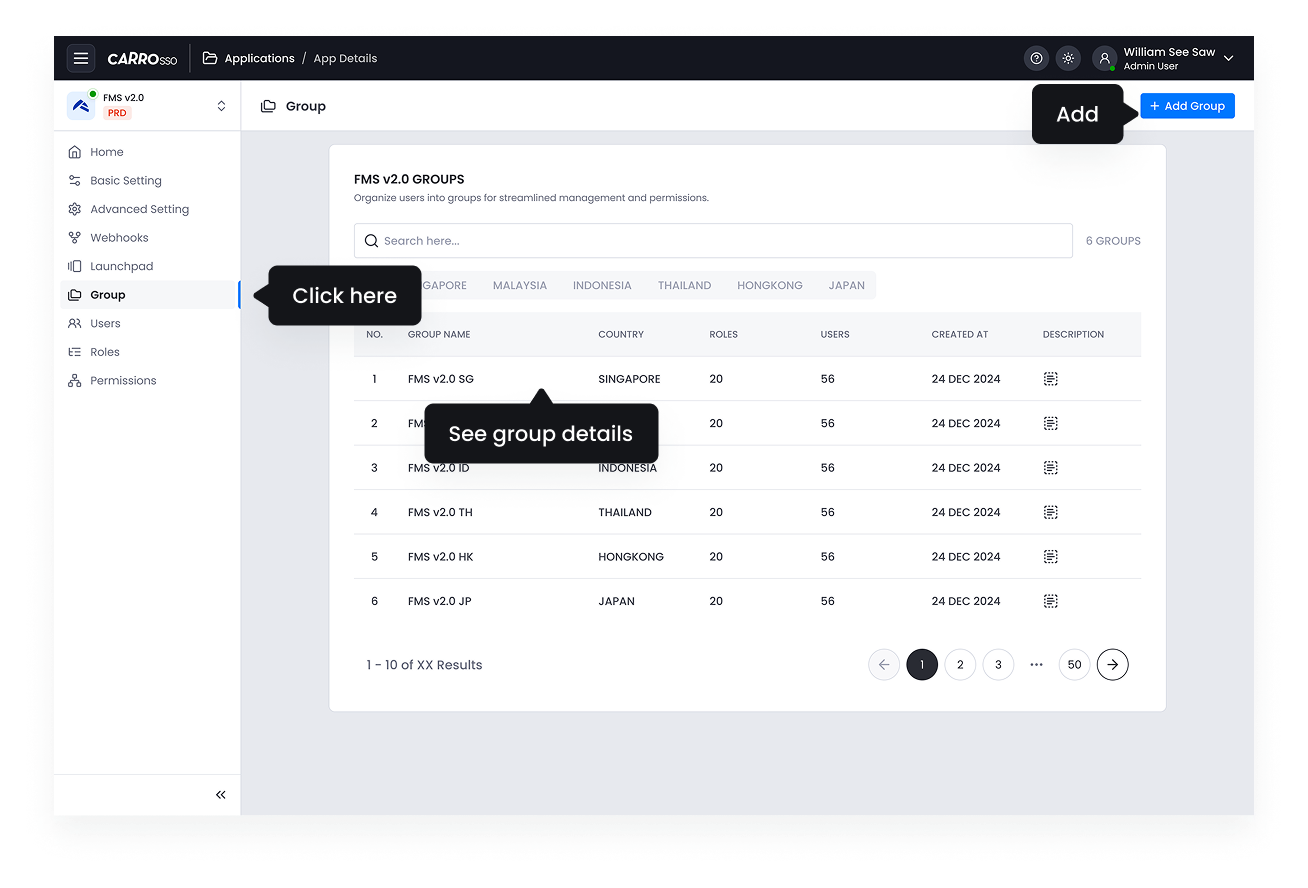
- Navigate to the Group Management section in the Application Details.
- Click Add Group.
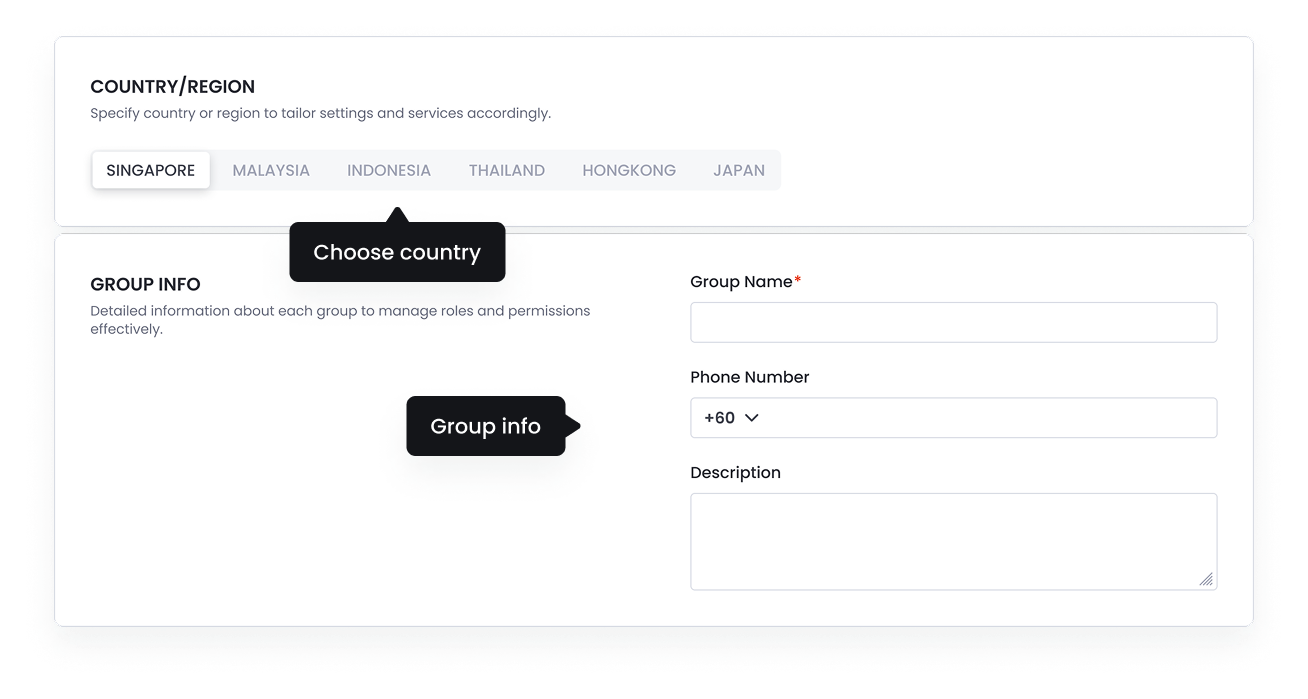
- Provide a Group Name, Country and an optional Description.
- Save the settings.
- View group details from clicking the group listing
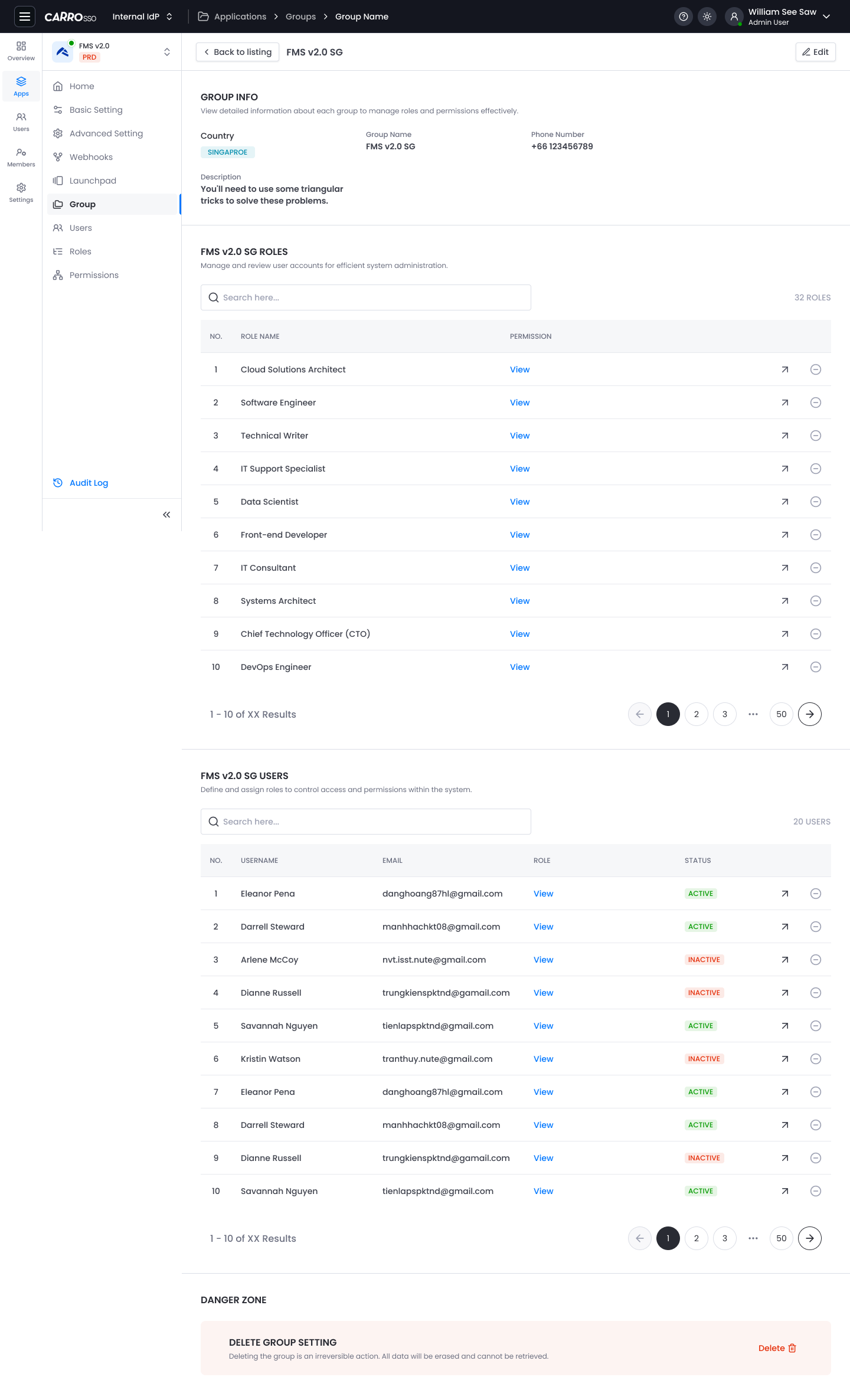
After creating a group, administrators can add users, ensuring they inherit all relevant permissions automatically.