

Appearance
Create application
Creating an application is the first step in setting up authentication for a system. Applications act as the primary entities that users authenticate against, defining how users access and interact with different services.
- Navigate to the Applications section in the dashboard.
- Click on Create Application.
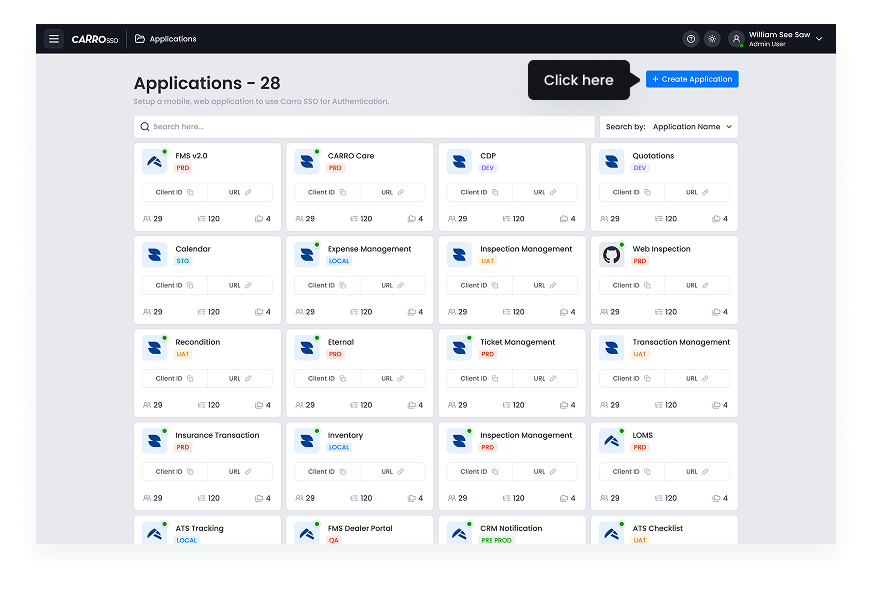
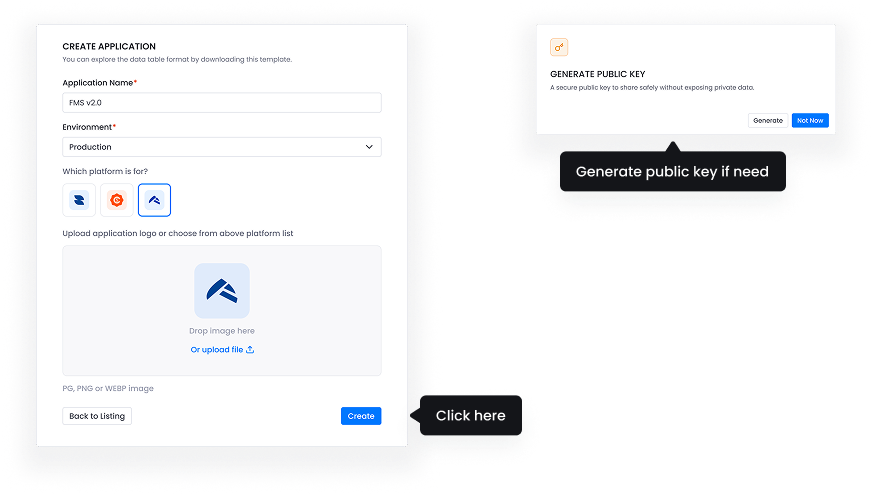
- Fill application information such as Application name, Environment, Platform, Logo.
- Generate the public key if needed at this point. However, you can also generate it in Application Basic Settings later.
Each application is assigned a unique identifier and secret keys that are used for authentication and authorization processes. This allows secure communication between the application and the authentication system.